
Heptane
Automated strategyAutomated execution on NQ and MNQ, running on your own machine.
A seven engine strategy with strict one at a time execution. Built for NQ and MNQ on hourly bars.
- Platform
- NinjaTrader 8
- Instruments
- NQ, MNQ
- Bars
- Hourly bars
- Licensing
- One NT account per seat
- Hosting
- VPS compatible
- Included with
- Membership
What it does
Heptane contains seven separate engines. They are mutually exclusive, so exactly one is active at any moment and the others stand down until conditions change. In practice that means the strategy is not running seven positions against each other, and what you see on the chart is one engine working at a time.
It is compiled. You receive an assembly to import into NinjaTrader, not source code, and it executes on your own machine against your own account.
Approved applicants receive the full quantitative report before any payment is taken. It is twenty pages, it includes the periods that do not flatter the strategy, and it is how we would want to be sold something like this.
When something goes wrong
A position is open and your internet drops. Or NinjaTrader crashes. Or Windows restarts itself overnight.
Heptane keeps a record of every open position in a small file on your machine, rewritten as the trade develops. On restart it asks your broker what the account actually holds and compares the two. If they match it adopts the trade and carries on managing it: same stop, same target, same trailing.
If they do not match, it does not guess. It places a protective stop below the position, blocks any new entry until that position is closed, and leaves the rest to you.
Trades recovered this way are in the published trade log, marked as adopted at the exit.
In the platform
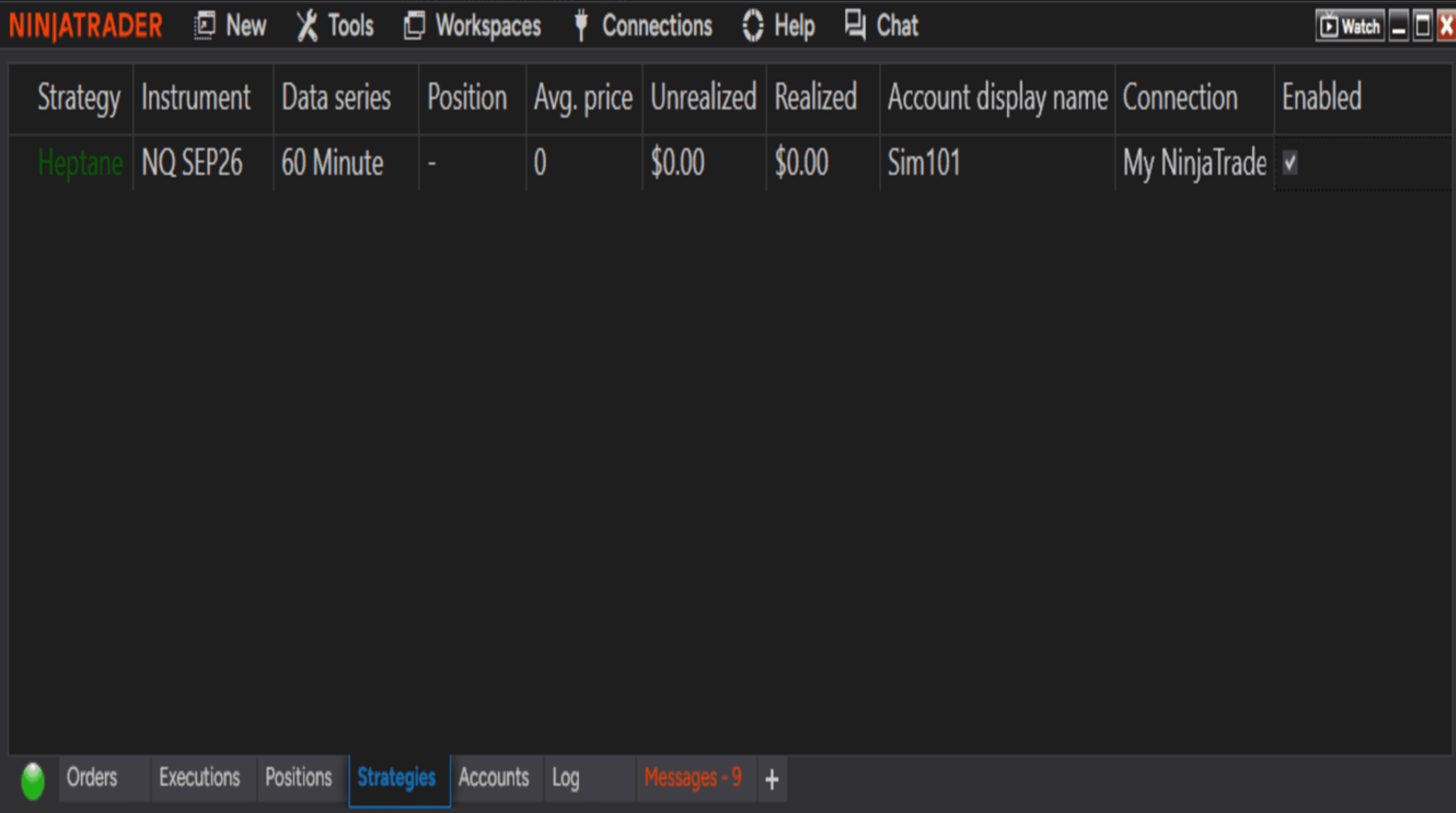
Compatibility
- Simulation
- Supported
- Prop firm accounts
- Supported
- Personal live accounts
- Supported
- Platform
- NinjaTrader 8
- Market data
- A live feed for the instrument you trade
- VPS
- Supported
What you configure
- The instrument you trade
- Contract size
- Risk parameters
- The session it is allowed to trade
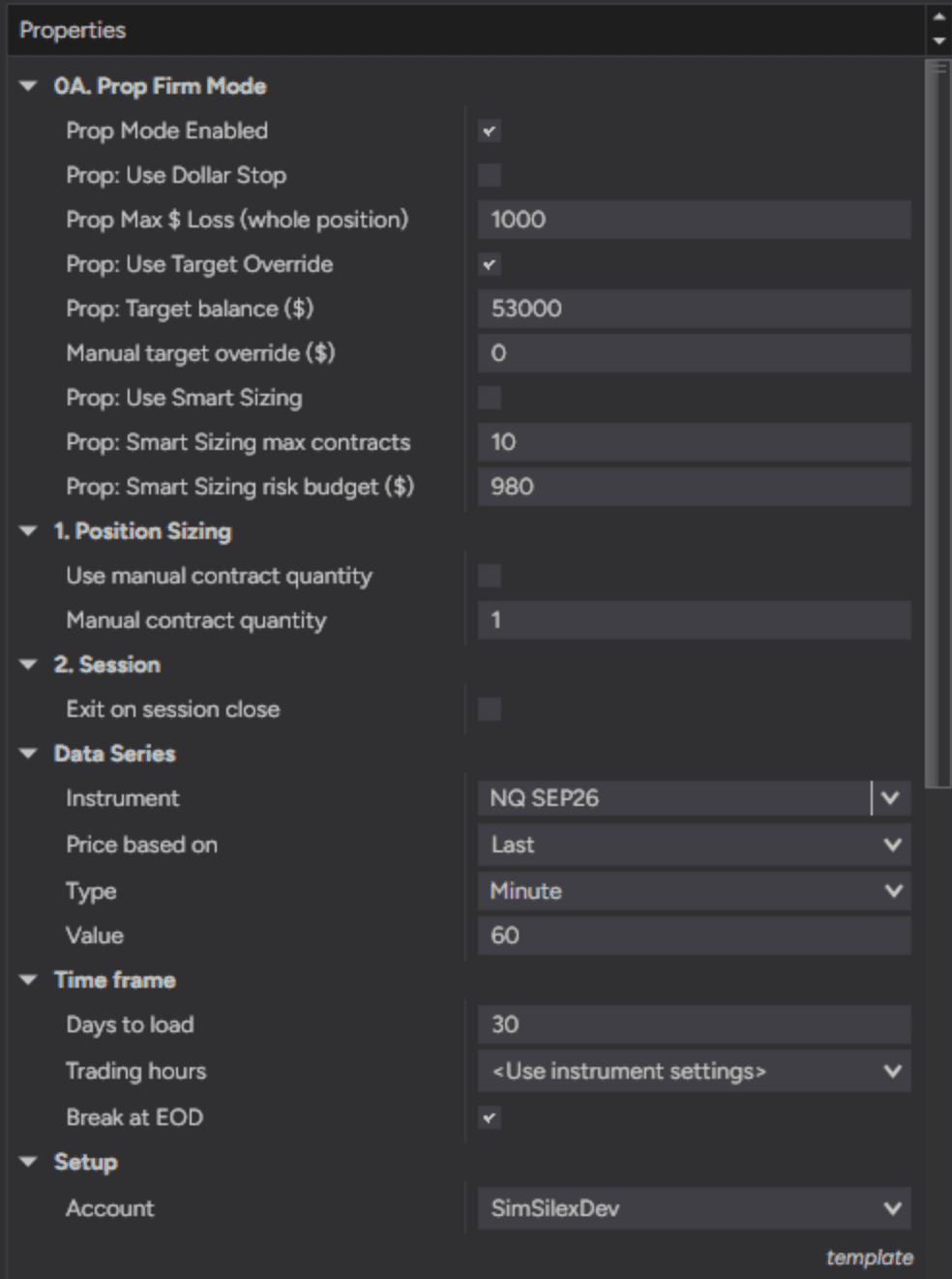
Smart sizing is the one worth explaining. On MNQ, with prop firm mode on, the number of contracts for an entry is chosen so the projected adverse excursion for that trade stays inside the risk budget you set, up to the maximum contract count you allow. It reads a built-in risk profile keyed to the hour the trade is entered, in US Eastern. It does nothing on NQ, and nothing at all with prop firm mode off.
The full detail of every setting is in the member documentation. The logic itself is fixed and is not tuned for individual members.
What a seat actually includes
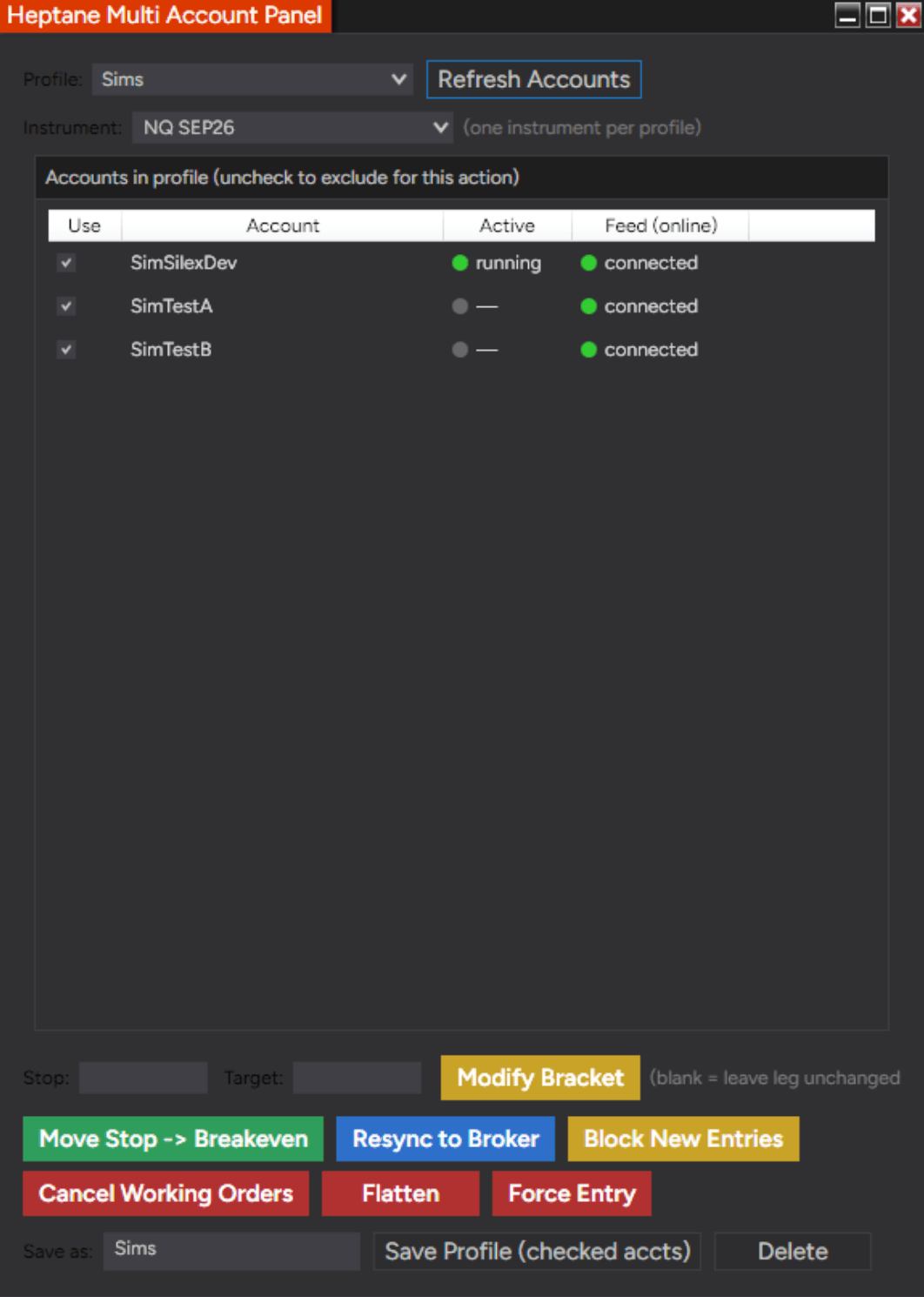
The strategy is the part that takes trades. The rest of the membership is what surrounds it: an operator HUD for manual intervention mid-trade, the bridge that makes those controls work, a multi-account panel that drives several of your own accounts from one screen, and the recovery layer that picks a position back up after a crash.
Most of that exists because real trading is not the same as a backtest. Connections drop, platforms restart, and positions need handling at times you are not watching. A strategy on its own does not address any of that.
- Heptane
- The automated strategy. Seven engines, mutually exclusive, one active at a time.
- Strategy HUD
- An on-screen display with manual interventions: move a stop to break even, modify a bracket, resync to the broker.
- HUD bridge
- Wires the HUD controls to the strategy. Without it the controls do nothing.
- Multi-account panel
- Lets one HUD drive more than one of your own accounts.
- Recovery layer
- Keeps a record of every open position on your machine and checks it against the broker on restart, so an interrupted trade is picked back up rather than abandoned.
Requirements
NinjaTrader 8, installed and connected to your broker or data provider.
A market data feed covering the instrument you intend to trade.
A machine that stays powered on and connected for the whole session. The strategy runs locally, so nothing executes while your computer is asleep. A VPS does the job if you would rather not leave your own machine on.
Questions
What am I actually buying?
A licence to run compiled software for as long as your membership is active. You are not buying the strategy itself, and ownership of it does not transfer.
Do I get the source code?
No. You receive a compiled, protected assembly. The source is never distributed.
Can I change how it trades?
You set the instrument, the contract size, the risk parameters and the session. The logic of the seven engines is fixed and is not tuned per member.
Does it keep trading if my computer is off?
No. Execution is local, so the strategy only acts while NinjaTrader is running and connected. If you do not want to leave a machine on, run it on a VPS. It is the same installation, on a machine that stays up without you having to, and the licence needs nothing moved because it is issued against your NinjaTrader account rather than against a computer.